TRADEMARK MONITORING WORKFLOW GUIDE · POST-REGISTRATION
7 done-for-you workflows and 4 visual flowcharts covering every stage of trademark monitoring and enforcement - from existing client onboarding to cease and desist situations.
Built from direct attorney requests. This guide was created because trademark attorneys asked for a clear, documented system for managing, monitoring, and enforcement services. Every workflow inside reflects how this work actually runs in practice.
IS THIS FOR YOU?
You offer or are building out trademark monitoring and enforcement services and need a documented system to run it.
You offer trademark monitoring services and need a clear workflow that your team can follow
You're planning to offer monitoring services and want the system ready before your first client
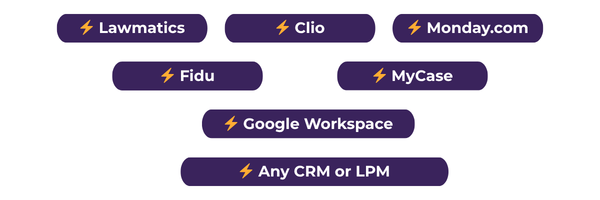
You use Monday.com, Lawmatics, Fidu, or any CRM, and want to build these workflows inside your tool
You want a visual flowchart alongside the written workflow so you can see the big picture
You're a solo attorney managing monitoring without a full team and need something practical
WHAT IS A WORKFLOW?
A workflow is a documented sequence of steps - who does what, in what order, and what happens next. For trademark monitoring and enforcement, having this documented means your process runs the same way every time - whether it's you, your assistant, or your team handling it.
Each workflow in this guide is built around a trigger - the specific event that kicks the process off. Find your trigger, follow the steps, and your monitoring service runs consistently from start to finish.
HOW TO READ THE WORKFLOWS
Before you open the guide, here's the color key so you know exactly what each step means at a glance.
Something your client needs to do or receive
A step your team handles directly
Set this up as an automation in your CRM or practice management tool
This step requires attorney review before moving forward
Replace with your firm's specific language, tone, or process details
WHAT'S INSIDE
Written workflows plus visual flowcharts - so you can read the steps and see the big picture at the same time.
Preliminary tasks before the official service workflow begins. Includes color key option.
For clients who agree to monitoring services after trademark registration.
For new clients coming in specifically for monitoring and enforcement services.
Internal and external steps for managing Section 8, 9, and 15 maintenance deadlines.
Step-by-step process for handling confirmed trademark infringement situations.
What to do when monitoring turns up a potential infringement issue.
Workflow for when your client is on the receiving end of a C&D.
Visual maps for Existing Client, Non-Existing Client, Infringement, and Potential Infringement workflows.
WORKS WITH YOUR TOOLS
The workflows are your blueprint. Your practice management or project management tool is where they live.
No, if you know you want to offer trademark monitoring and enforcement in the future, this is exactly where to start. The workflows are general enough to help you build the service from scratch and specific enough to implement immediately once you're ready.
Yes. The guide is your blueprint - each workflow has a trigger that maps directly to an event inside your tool. Use the color key to identify which steps should be automated, which are manual tasks, and which need attorney approval. Build one workflow at a time and go from there.
Absolutely. The workflows are designed to be adaptable - you can run them yourself or assign steps to an assistant or contractor. The color coding makes it easy to see which steps can be delegated and which need to stay with you.
Google Docs with a clickable table of contents so you can jump straight to whichever workflow you need. The visual flowcharts are included inside the same document.
Due to the nature of digital products, all sales are final. If you have questions before purchasing, reply to any The Legal Oats email or reach out at info@listenbeeparalegalservices.com.
Trademark Monitoring/Enforcement Workflow Guide
$47
One-time payment · No subscription · Yours to keep and customize
7 written trademark monitoring & enforcement workflows
4 visual workflow flowcharts
Color key for every step - client, manual, automated, approval
Clickable table of contents for easy navigation
Materials & suggested emails section included
Compatible with Monday.com, MyCase, Clio, Lawmatics & more
Built from direct requests by trademark attorneys
ONE MORE THING YOU'LL NEED
Once your monitoring workflow is set up, you need a way to collect everything from new clients upfront. The Trademark Monitoring/Enforcement New Client Inquiry Form is a fillable Google Doc template built specifically for this, so nothing gets missed when a new monitoring client comes in.
EXPLORE THE SHOP
Beyond the Vault, Legal Oats has everything your practice needs, from copyright templates to SOPs, intake forms to marketing tools.
You've made it to the bottom - find exactly what you need up top.